
Signage design automation: a thousand signs without a thousand errors
A large building needs hundreds of signs, and every one is a separate chance to be wrong. Generating artwork from the schedule removes whole classes of error at once.
Signage design automation is the practice of generating sign artwork directly from project data, the destination schedule and the sign schedule, instead of composing each sign by hand. A sign type is built once as a template with its rules fixed: layout grid, cap heights, contrast, margins, arrow set, the position of the braille. Every individual sign is then a row of data poured into that template. The artwork is an output.
That sounds like a production convenience, and it is one, but the real value is quality control. On a hospital or a data centre campus the sign count runs from several hundred into the thousands, and hand-composed artwork gives every one of those signs its own private opportunity to be wrong. Automation doesn't make a designer better at catching mistakes. It deletes the step at which the mistake could be introduced.
It deletes the step at which the mistake gets in.
One template, a thousand rows
Everything upstream of the artwork is already a table. The destination schedule settles what every place in the building is called, in every language it has to be called it. The sign schedule says which of those names appear on which sign, where that sign hangs, and what it is made from. Traditionally a person then reads that table and retypes it into a drawing package, once per sign, several hundred times. Design automation deletes the retyping. The table drives the artwork directly, and nobody should still be typing room names into artwork by hand. A good deal of the trade is.
The template is where the design lives. It holds the decisions that should be identical on every sign of that type: the grid, the cap height chosen against the real viewing distance, the light-reflectance separation between text and background, the fixed relationship between the Irish and the English, where the tactile characters sit and where the braille sits beneath them. Automation doesn't reduce the design work; it moves it. The thinking happens once, thoroughly, on the type, instead of a thousand times, hurriedly, on instances.
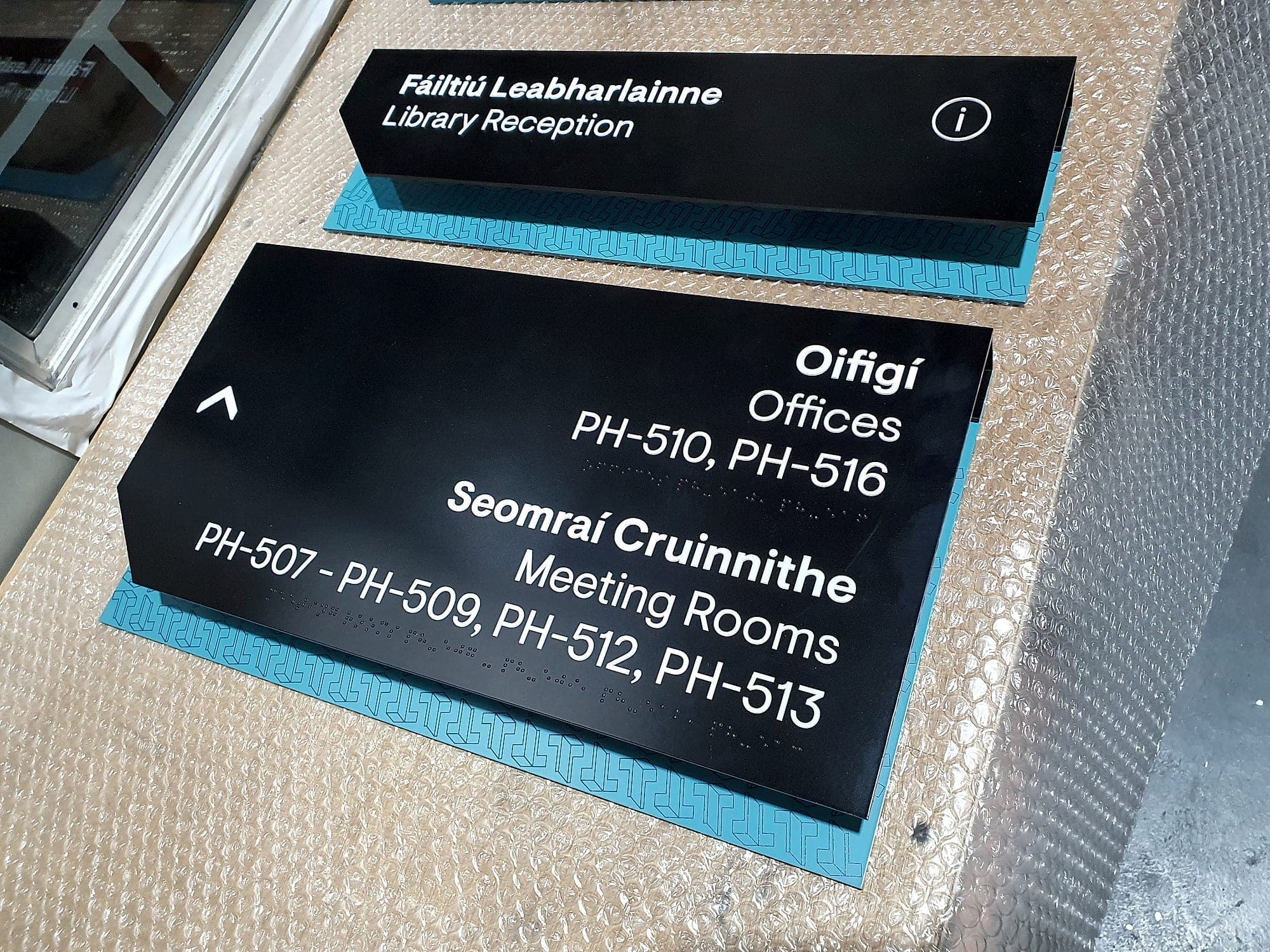
The error classes signage design automation removes
Automation doesn't make errors less likely in some general way. It removes particular classes of error outright, which is a different and far more useful claim:
- Transcription. Names retyped by hand drift. Clinic 4 becomes Suite 4B on one floor, a fada goes missing from an Irish room name, a room code loses a digit. If nothing is retyped, nothing drifts.
- Staleness. When a department is renamed mid-project, the change propagates to every sign carrying that name in one operation. Under manual production it reaches the signs somebody remembered to look at.
- Inconsistent Irish. Where the Official Languages Act applies, the Irish is authored once per destination and reused. Leave it to be improvised at artwork stage and the same room ends up with three Irish names on three floors, all defensible, none of them the same. The rules on order and prominence, Irish first and never less prominent than the English, become a property of the template.
- Specification drift. Type sizes, margins, contrast and mounting heights are set on the type. A generated sign cannot acquire 18mm text where the family says 25mm.
- Missing components. A room-sign template that requires tactile characters and braille cannot produce a room sign without them. Omission stops being a thing you notice at snagging.
- Redrawn safety symbols. Statutory symbols come from the registered ISO 7010 set as artwork, never traced or stretched to fit a panel, which is how compliant symbols usually stop being compliant.
- Counting. The number of panels manufactured is the number of rows, filtered by type. No sign is made twice and none is forgotten in a folder.
The number of panels made is the number of rows. Nothing else.
Why the biggest sign counts benefit most
The value of automation scales with repetition, so the buildings that gain most are the ones with the largest, most systematic sign populations. Hospitals qualify twice over: deep room numbering, bilingual provision throughout the public estate, accessible mounting and contrast on everything, and a department list that never stops moving. Which makes it the hardest brief in wayfinding, and one where a stale name on a door has clinical consequences.
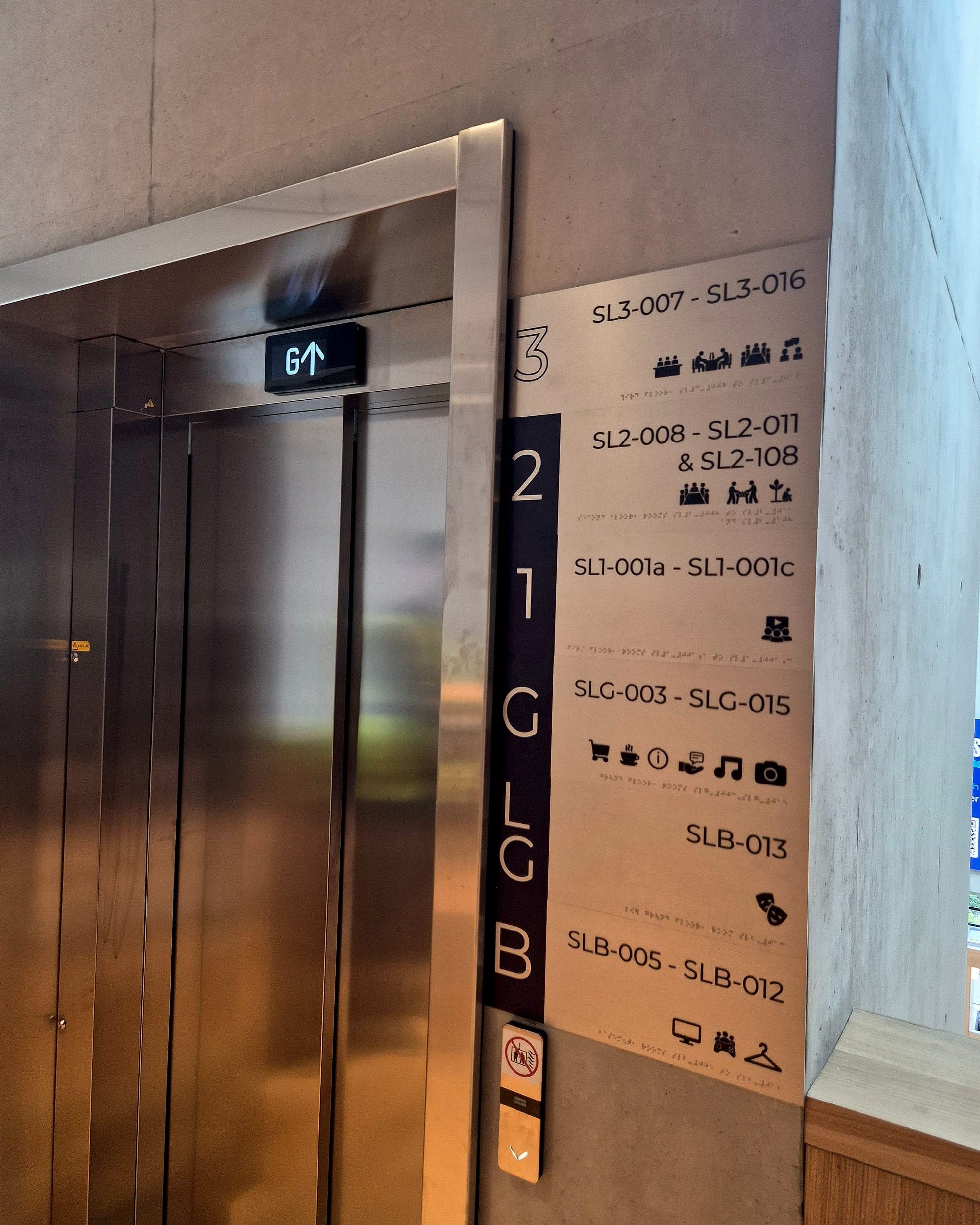
Data centres qualify for the opposite reason. Their rooms are deliberately near-identical: hall after hall, plant room after plant room, distinguished from one another only by a code that also governs access, maintenance and incident response. Hundreds of signs differ by two characters. That's precisely where human proofreading is weakest, because the eye slides over the difference between DH-2-14 and DH-2-41. It is also where a generated sign face is unarguable: the code on the panel and the code in the asset register are the same string of text, not two people's typing of it.
- 1
- source of truth: every sign face generated from one row of one schedule
- Days
- not months, for approvals when schedule, artwork and sign-off live in one system
- ~20%
- lower end-to-end cost when one supplier carries the scheme from design to installation
What stays human
An honest limit: automation is only ever as good as the table behind it. A generated system will reproduce a bad naming decision a thousand times, faithfully and fast, and be perfectly consistent about it. Everything that made the schedule right in the first place is unchanged, and still the expensive part: walking the building, arguing the names with the people who run it, deciding what belongs at each decision point.
And a real building always has exceptions. The donor plaque, the heritage room, the corridor where the panel meets a mullion and has to be re-proportioned, the sign that needs a longer name because a shorter one would be misread. Those should be exceptions, drawn deliberately and recorded as such. Automation industrialises the repetitive bulk of a package so that the design attention lands on the rest. Which is the right way round, and the opposite of what happens when everything is drawn by hand under programme pressure.
Accessibility is a template property too. Contrast, mounting height and tactile provision are set against TGD M and BS 8300 when the sign family is designed, and verified on the built sign. Generated artwork guarantees only that every sign inherits the decision, never that the decision was correct. We set those values once, at type level, and certify the installed system against them.
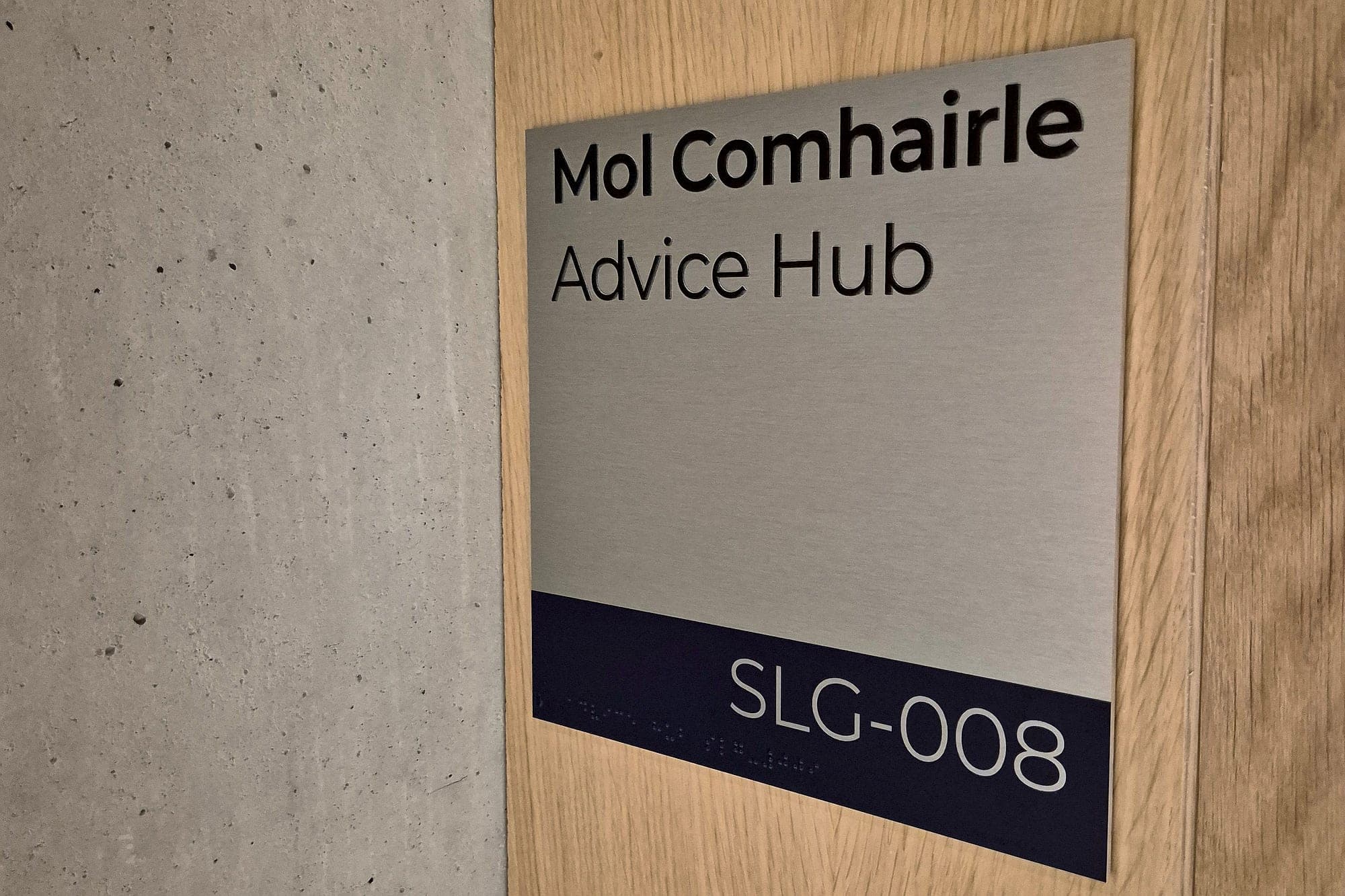
Revisions, approvals and the version problem
What clients notice first isn't production speed but what happens when something changes. A late rename under manual production means a manual sweep: find every affected sign, hope the list is complete, reissue, re-approve. When the artwork is generated, the rename is one edit, the affected signs identify themselves, and only those sheets are reissued. The approval record shows exactly which signs moved and which did not, which is why running schedule, artwork and sign-off in one system takes roughly a third out of approval time on a large package.
That continuity carries through to the wall. Because we supply and install what we generate, the file that cut the panel is the file the client approved, and the schedule it came from is handed over as a register the facilities team can edit for the next ten years. If you're specifying a hospital, a campus, a data centre, anything with a serious sign count, talk to us while the schedule is still a spreadsheet. That's the moment automation is worth something.
Planning a wayfinding project? Talk early, while the big decisions are still cheap.