Skip to content
Wayfinders
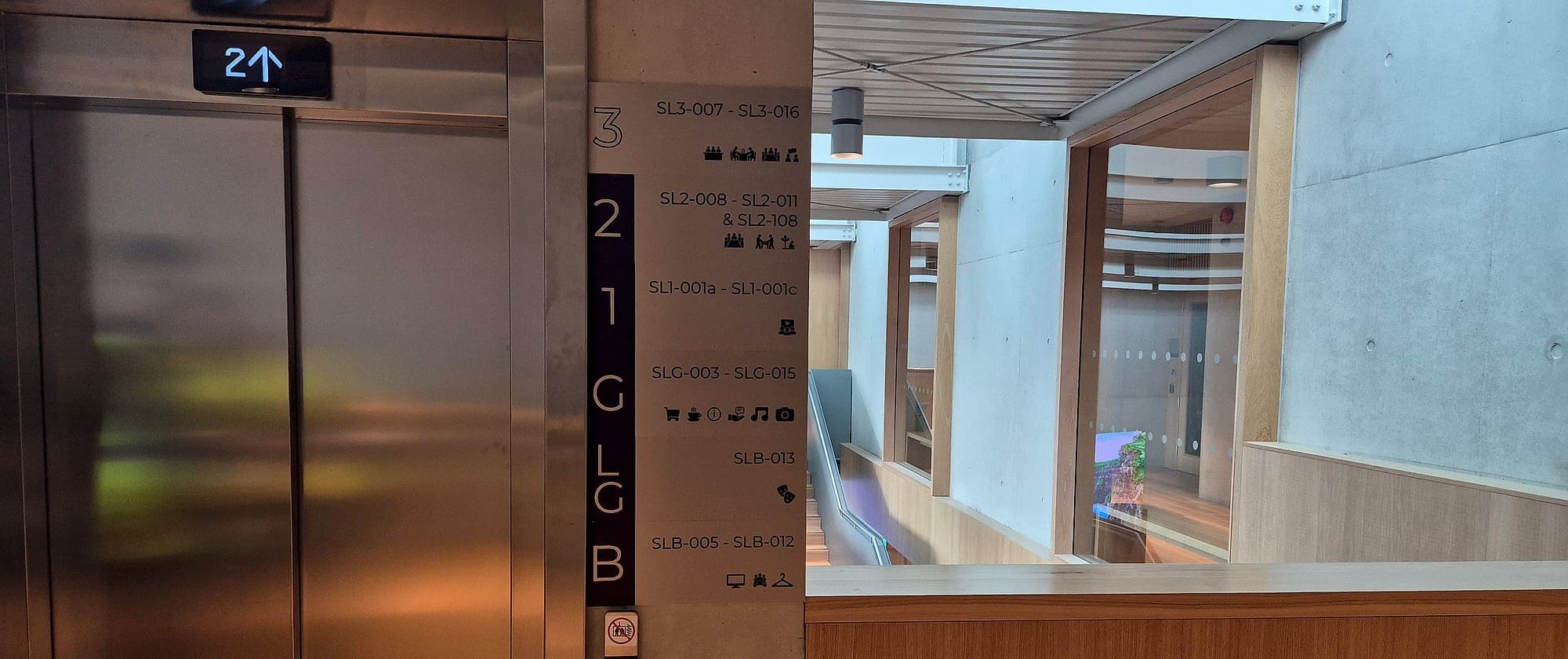
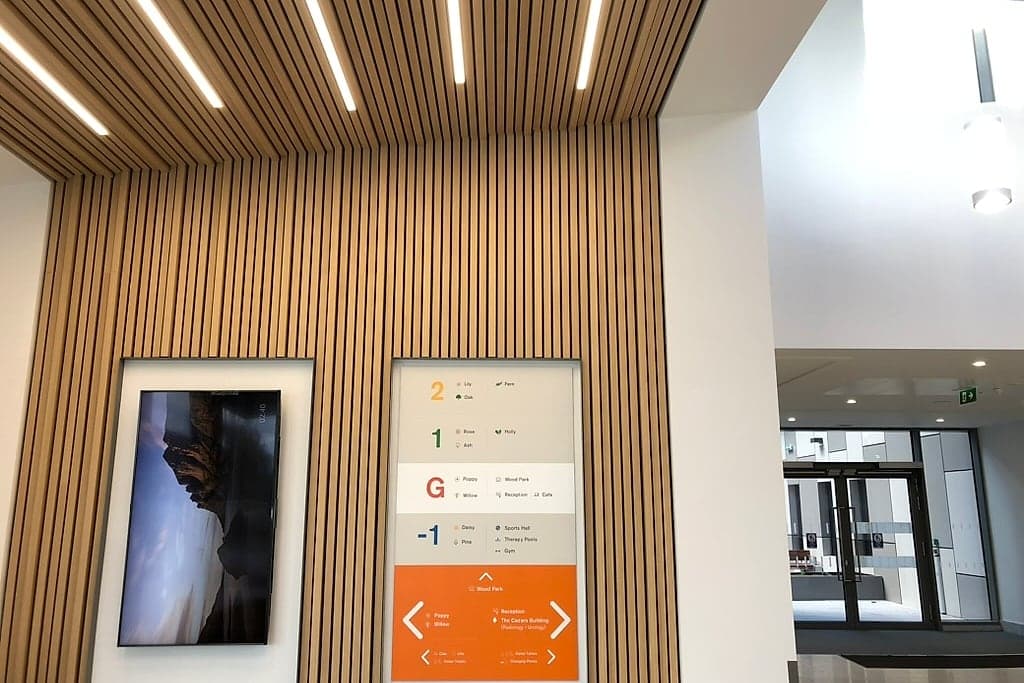
Smart building signage in the lobby at the National Rehabilitation Hospital: a wall-mounted digital display beside a fabricated floor directory listing wards and departments by level, both recessed into a slatted timber wall

04Wayfinding that updates itself.

Digital & smart wayfinding

Interactive directories, dynamic signage and mobile wayfinding that complement the physical system in real time.

In short

Digital wayfinding is a second layer laid over a complete static system: directory screens, room-booking panels, live clinic or event information, QR codes and mobile navigation. We specify it only where information changes faster than a panel can be remade, name who owns the content, and make sure the building still works when every screen is dark.

Digital and mobile layers extend physical wayfinding: interactive directories, dynamic content, and scan-to-navigate experiences that update in real time.

The best systems blend the physical and the digital so neither feels bolted on.

01Why it matters

The problem this solves

01

A screen is a subscription

A fabricated panel costs what it costs, once. A screen brings a power and data run to one point on one wall, a content licence, somebody's time every week and a replacement in five to seven years. Our rough threshold is quarterly: content that changes less often than that is cheaper and more reliable as static with a changeable part.
02

A stale screen misleads with confidence

A printed panel two years out of date looks two years out of date, and people discount it. Nobody discounts a bright display, so a screen showing last year's tenant list sends visitors confidently to the wrong floor. Most of that comes down to content nobody owns after handover.

03

There is a compliance floor glass cannot reach

Tactile characters and braille, escape signage that stays legible when the mains are gone, Irish and English at equal prominence: none of it can be pushed to a screen. The compliant static system is being installed either way, so the real question is what a screen adds on top.

04

Digital inherits your naming

If the booking system calls a room one thing and the door calls it another, the screen publishes the disagreement. A digital layer works only when it reads from the same room list the signs were drawn from.

02How we do it

Step by step

The same sequence on every project, run by our own teams, so nothing falls between packages.

  1. 01

    Sort the content by how fast it changes

    Location by location, we separate what never moves (levels, cores, room ranges, toilets) from what moves seasonally, weekly or by the hour. The answer decides the medium, line by line.

  2. 02

    Design the static system complete

    Identification, direction, directories and statutory signage are designed to work on their own, so every screen can fail without stranding anyone.

  3. 03

    Engineer the changeable parts

    Lines that change slower than a season go into changeable static construction: slats lifted out of a side channel, cassette inserts, tenant strips. We mark them in the destination schedule, where making a line replaceable costs nothing.

  4. 04

    Site the screens that are justified

    Usually that is one well-sited display at the point of arrival, carrying today's variables: the clinics running, the rooms booked, the lift that is out. Its position, height, power and data are agreed against the sign schedule, with brightness and anti-glare set for the real light.

  5. 05

    Name the source and the owner

    Before hardware, we fix in writing which system the content comes from, the identifier that joins it to each physical room, how quickly a change must appear, and who in the building is accountable when it is wrong.

  6. 06

    Design the failure state

    Every live display should fail to identity, never to stale: if the feed drops, the panel shows what is permanently true, such as the room number and capacity, and nothing about availability. We ask to see the fallback commissioned.

  7. 07

    Add codes and markers where they help

    QR codes for depth, translation, fault reporting and asset records, pointed at stable redirects the client controls. NaviLens markers for blind and partially sighted users, sited on the same sightlines as the signs.

How we work, stage by stage →

03What you receive

Deliverables

What lands on your desk, ready to price, approve and build from.

  • Location-by-location assessment of static, changeable and digital content
  • Digital layer specification: positions, screen sizes, mounting heights, power and data
  • Content source and ownership plan, joined to the building's room list
  • Fallback specification for every live display
  • Changeable static directories with slats, cassettes or tenant strips
  • QR code scheme: placement, sizing, stable redirects and named owners
  • Whole-life cost comparison against static alternatives
  • NaviLens marker plan, where specified

04Standards

Compliant by default

The standards and regulations this work is designed to. Compliance is the baseline, not an upsell.

Technical Guidance Document M and BS 8300-2
Key location information must also be available in tactile form, with raised characters and braille where a hand can reach. A touchscreen offers neither, so the static layer carries it.
Technical Guidance Document B
Escape-route signage must stay legible when the power has gone, so it is photoluminescent or emergency-lit and never depends on a display.
Official Languages Act 2003
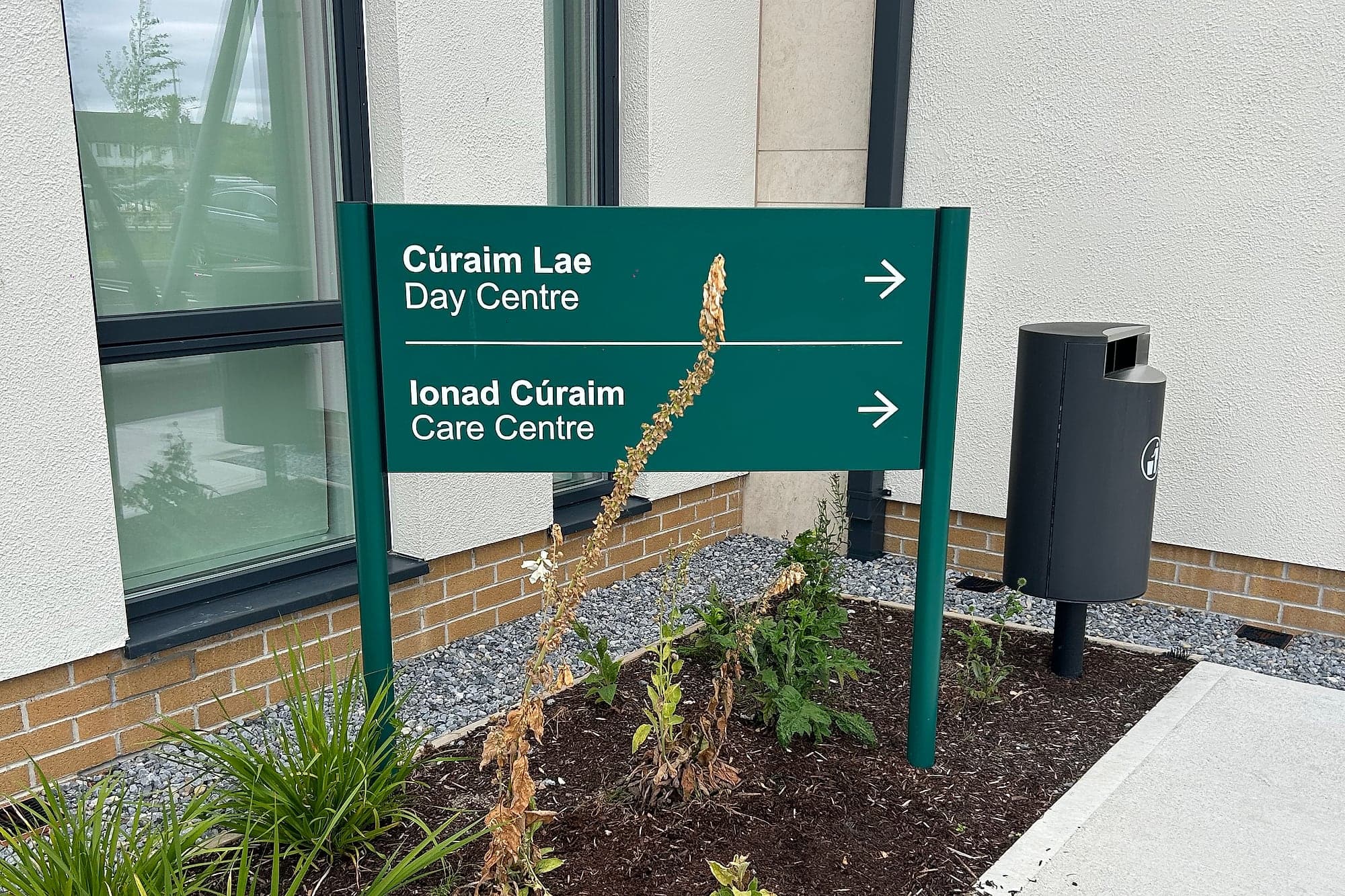
For public bodies, Irish and English appear permanently and at equal prominence, on screens and maps as well as signs, never as one pane of a carousel.
ISO/IEC 18004
The QR code specification calls for a quiet zone of four modules around the symbol. Cropping it into a corner is the most common reason a code fails on older phones.

06FAQs

Common questions

Something else? Ask us directly.

Do we need digital signage?

Usually less of it than you're offered. A screen pays its way where content changes weekly, daily or hourly: clinic lists, room bookings, event programmes, live status. Below a quarterly rate of change, a static system with changeable parts is cheaper over ten years and less likely to fail.

Is digital signage cheaper than static signage?

Over a ten-year life, normally not. A fabricated sign is a capital cost with almost no tail. A screen adds power, a content licence, staff time every week and a replacement cycle. In a narrow set of places it is still the only thing that works, which is where we put it.

Can a screen or an app replace statutory or accessible signage?

No. Tactile and braille provision under Part M and BS 8300, escape signage under TGD B and bilingual provision for public bodies all have to be permanent and physical. No Irish or UK requirement accepts a screen, app or digital marker as a substitute. Nobody evacuates by phone.

Do you sell screens?

We are not a screen vendor, so we have no reason to sell you one and no reason to talk you out of one. We design, supply and install the permanent system and specify the digital layer over it: where it goes, what it says, where the content comes from, and who keeps it right.

Does indoor navigation work?

The positioning works: depending on the technology, a phone can be placed to within ten metres or ten centimetres. The hard part is adoption. Indoor navigation gets used where the app is already on the phone for another reason, such as a student portal or a staff tool, and rarely in one-visit buildings.

Are QR codes useful on wayfinding signs?

Yes, for what a panel cannot hold: a zoomable floor plan, a translation, a fault report, the asset record behind the sign. Not as the wayfinding itself. A code needs an owner, a stable link the client controls and a short printed address beside it, and we specify them on a small fraction of signs, deliberately.

What is NaviLens, and do you specify it?

NaviLens is a high-contrast marker a phone camera detects from several metres away, while the user is walking, and then reads aloud. It is the first digital layer we've seen that answers a real navigation problem for blind and partially sighted people. We specify it as an addition to compliant tactile signage, never in place of it.

Digital & smart wayfinding

Talk to a specialist about your project.

Approvals cut from months to days, typically around 20% off the wayfinding package, and one supplier from design to installation.