
Smart wayfinding: the digital layer over a physical system
Smart wayfinding adds QR codes, screens, mobile maps and live data to physical signage. Where it pays, where it fails, and why the signs still come first.
Smart wayfinding is the digital layer of a wayfinding system: QR codes and web maps reached from a sign, digital directories and screens, indoor positioning on a phone, accessible markers such as NaviLens, and the live building data behind them. It sits on top of a complete physical sign system and does the jobs a fixed panel can't, such as carrying information that changes, giving directions from exactly where you're standing, or holding more than a panel has room for.
As everyday life gets faster, wayfinding has to keep up, and the obvious place to start is the device that's effectively attached to all of us: the phone. The idea is simple. Scan a smart sign with your phone and a real-time database returns directions from exactly where you're standing. No app to learn. No map to decode. We design, supply and install the physical layer and specify the digital one that sits over it, so we've no reason to sell you a screen and no reason to talk you out of one.
What smart wayfinding actually covers
The term gets stretched over very different products, and lumping them together is how budgets go wrong. Broadly, there are six:
- QR codes and app-free web maps: a code on a sign opening a floor plan, a translation or a fault-report form. Cheap to print, and only as good as whoever keeps the link alive. See QR code signage.
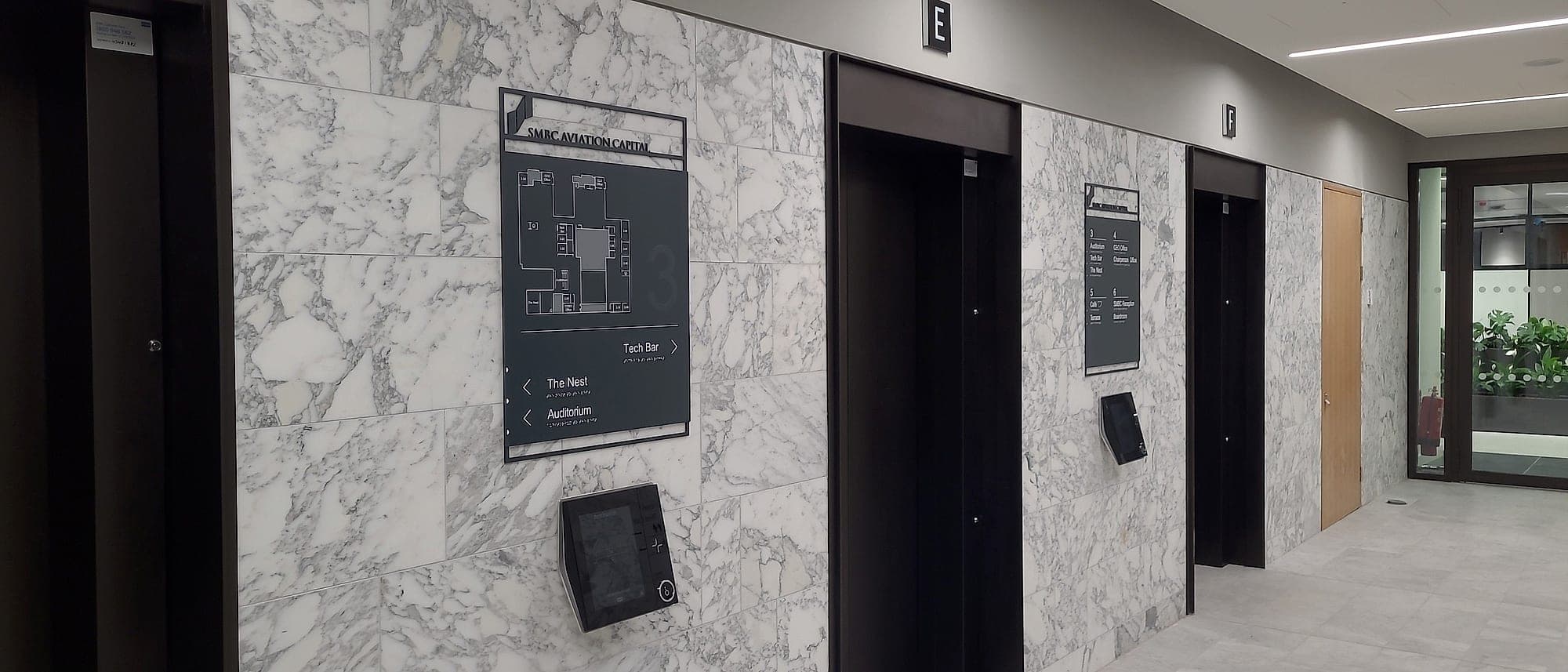
- Digital directories and screens, from lobby directories and clinic lists to room-booking panels and event boards. Covered in digital wayfinding and digital directories.
- Indoor positioning. Bluetooth beacons, ultra-wideband, Wi-Fi and camera-based systems that give a phone a blue dot indoors; our piece on indoor navigation assesses each honestly.
- Accessible markers: NaviLens codes that a phone reads from several metres away and well off to one side, then speaks aloud, for people with sight loss.
- Live building data such as lift status, room availability and closures, fed from the building's own systems to the signs; see smart building signage.
- The data underneath it all, the destination schedule and sign schedule held as coordinated building data, where every other layer gets its names.
Start with the physical layer
Every one of those depends on a static system that already works on its own, and some of the job can't be done digitally at all. Part M and BS 8300 expect raised lettering and braille at doors and key locations, and glass offers neither. Fire and escape signage under TGD B has to be legible when the mains are gone, which is why it's photoluminescent or fed from the emergency lighting; a screen at that moment is a black rectangle. ISO 7010 safety signs carry legal meaning in their shape and colour. And in a public body, Irish and English appear together and at equal prominence, permanently, not in one pane of a carousel.
So the test for any digital element is simple. If the screen goes black or the phone is flat, can everyone still get where they're going? If not, the physical system isn't finished yet.
If the screen goes black, can everyone still get where they're going?
When digital beats static
Ask how often the content changes. The rough threshold we use with clients is quarterly. Below that, a well-designed static system with a changeable component, lift-out slats or cassette inserts, will be cheaper over a ten-year life, easier to read and far less likely to fail. Weekly or daily, and a screen starts to pay for itself. Hourly, and nothing else will do: clinic lists, lecture rooms that change every ninety minutes, a lift out of service for the afternoon. Multi-let offices with real tenant churn are the classic case for a digital directory, which makes it a live question in corporate buildings.
A screen is also a subscription. There's the hardware, a power and data point at one exact spot on one wall, a content licence, somebody's time every week, and a replacement in five to seven years. None of that argues against screens. It argues for putting them where the information actually moves. In most buildings the honest answer is one well-sited display at arrival carrying the day's exceptions, beside a fabricated directory that does everything else.
The phone in your pocket
Phones are the most capable wayfinding device anyone carries, and the hardest to reach. A visitor who is already in your lobby and already late won't download an app, so anything that needs one should be treated as a separate project with its own business case. Indoor navigation works where the app is already on the phone for another reason: the student portal on a campus, the staff app on a hospital estate, the tool porters and contractors open every day. For one-visit buildings, a better arrival sequence and a directory that settles the question in one look will help more people than any blue dot.
App-free routes are where the phone does most for strangers. A QR code at a pause point, a lift lobby or a reception or an orientation lectern, can open a map you can pinch and zoom, a page in the reader's own language, or a form to report a fault with the location already filled in. The lecterns at SETU's Cork Road campus carry a QR code in the corner for the version of the map that travels in a pocket. The route itself stays on the sign.
Smart wayfinding and accessibility
Done carefully, the digital layer reaches people the wall can't. Turn-by-turn audio, and NaviLens markers that read at around twelve times their own width (roughly 12 metres for a 20cm tag), give someone with sight loss information they'd otherwise have to ask a stranger for. But no Irish or UK standard treats a digital marker as a replacement for tactile and braille signage, and a QR code is neither legible on the sign nor readable by touch. Treat the digital layer as one more channel in a multi-sensory system, never as a reason to specify less on the wall.
- 12×
- a NaviLens marker's own width: roughly how far away a phone can read it
- 5–7 years
- the typical life of a screen before it needs replacing
- 1,000–1,600mm
- the height band where a QR code can be scanned comfortably
The smart part is the data
The most common failure in digital wayfinding has nothing to do with hardware. The screen is fed from one system and the doors were signed from another, so the display sends people to a name that appears nowhere on the wall. A positioning app inherits the same inconsistencies, and routes people confidently to the wrong word. Fix the naming first, so the letter, the website, the booking system, the screen and the door all say the same thing, and hold it in one destination schedule.
That's where we've put our own effort. Our platform holds every sign as data: its drawing, its content, its location and where it stands in approval. Contractors and design teams review the same live schedule, which is how approvals that used to take months now come back in days. BIM export and construction-management integration are live, so the sign schedule sits in the coordinated building model with everything else, and a code on the back of a panel can tie the physical sign to its record. A refurbishment survey that once meant a fortnight of photography becomes an afternoon.
The order we'd work in
- Fix the naming. Letters, website, database and door should say one thing.
- Build the static system properly: arrival, decision points, directories, door plates. Most buildings' navigation problems are solved and paid for here.
- Add app-free digital where the information moves: QR codes at pause points, a web map with nothing to install, a directory screen where content changes weekly or faster.
- Only then weigh a positioning platform, and only with an app people already open, an estate big enough to need it, a named owner for the data and a budget that runs to year five.
Common questions
Appendix- Q.What is smart wayfinding?
- Smart wayfinding is the digital layer of a wayfinding system: QR codes and web maps reached from signs, digital directories and screens, indoor positioning, accessible markers such as NaviLens, and live building data. It complements a physical sign system by carrying information that changes, or that a fixed panel has no room for.
- Q.Does smart wayfinding replace physical signage?
- No. Tactile and braille signage, fire and escape signage, ISO 7010 safety signs and, for public bodies, bilingual signage all have to be physical and permanent. The digital layer works best on top of a static system that is already complete.
- Q.Do visitors need to download an app?
- They shouldn't have to. First-time visitors rarely download anything, so the most useful smart wayfinding for the public is app-free: QR codes that open web pages, and screens in the building. App-based indoor navigation suits staff and students who already have the organisation's app.
- Q.When is a digital screen worth the cost?
- When the content changes more often than about once a quarter: clinic lists, room bookings, events, multi-let tenant directories, temporary closures. If it changes less often, a static directory with changeable inserts is usually cheaper over ten years and easier to read.
- Q.Is smart wayfinding accessible?
- It can add a great deal, especially audio guidance and NaviLens markers for people with sight loss. But it doesn't discharge Part M or BS 8300: tactile lettering, braille, contrast and mounting heights still have to be met on the physical signs.
Wayfinding in any building or city should be good enough that people never have to stop and ask for directions. A smart layer brings that within reach, provided it's laid over a system that already works. See how we handle digital wayfinding, or talk to us before the screens are ordered.
Planning a wayfinding project? Talk early, while the big decisions are still cheap.